How to Check Emirates ID Status Online (2026): Complete Step-by-Step Guide
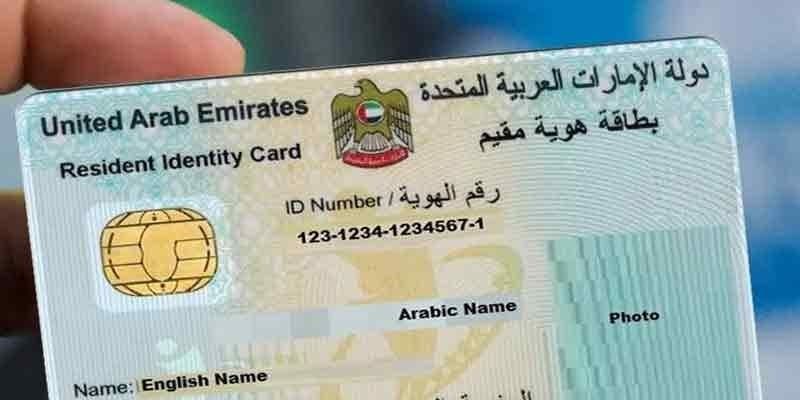
Checking your Emirates ID status online is quick and easy. This complete guide explains how to track your Emirates ID application using your PRAN or Emirates ID number, understand each application status, estimate processing times, and resolve common issues through the official UAE process.
Introduction
The Emirates ID is one of the most important identification documents for every UAE citizen and resident. It is issued by the Federal Authority for Identity, Citizenship, Customs and Port Security (ICP) and serves as official proof of identity across the United Arab Emirates.
Whether you have recently applied for a new Emirates ID, renewed an existing card, or requested a replacement, checking your Emirates ID status online allows you to track your application without visiting an ICP service center.
In this guide, you'll learn how to check your Emirates ID status online, what information you need, how to understand different application statuses, common problems applicants face, and what to do if your application is delayed.
What Is an Emirates ID?
An Emirates ID is a mandatory identity card issued to all UAE citizens and residents. The card contains biometric information and is linked to the holder's personal records.
Today, the Emirates ID is required for many essential services, including:
- Opening a bank account
- Applying for government services
- Accessing healthcare
- Renting property
- Signing employment contracts
- Registering a vehicle
- Obtaining a driving licence
- Traveling through UAE smart gates (where available)
Because it is used for so many services, applicants often want to know the status of their Emirates ID as soon as they submit an application.
Why Check Your Emirates ID Status?
Checking your application status helps you understand exactly where your request is in the process.
For example, you can find out whether:
- Your application has been received.
- Your biometric appointment has been scheduled.
- Your Emirates ID is being printed.
- Your card has been dispatched.
- Your Emirates ID is ready for collection.
Tracking the application online also helps avoid unnecessary visits to service centers.
Information You'll Need
Before checking your status, make sure you have one of the following:
- PRAN (Application Number)
- Emirates ID Number (if renewing or replacing an existing card)
The PRAN is usually provided after submitting your application and is used to track its progress.
How to Check Emirates ID Status Online
Follow these simple steps:
Step 1: Visit the Official ICP Website
Open your web browser and go to the official ICP website.
Step 2: Open the ID Card Status Service
Locate the "ID Card Status" service from the available online services.
Step 3: Enter Your Details
Type your PRAN (Application Number) or Emirates ID Number into the search field.
Double-check the number before continuing to avoid errors.
Step 4: Complete Verification
If requested, complete the verification process displayed on the screen.
Step 5: View Your Status
Click the search button to view your current Emirates ID application status.
Within a few seconds, the system will display the latest available information about your application.
Understanding Emirates ID Status Messages
After checking your application, you may see different status messages.
Application Received
This means the ICP has successfully received your application and processing has started.
Under Review
Your submitted information and supporting documents are currently being reviewed.
Biometrics Required
You need to complete fingerprint or biometric registration before processing can continue.
Card Printing
Your Emirates ID has been approved and is being printed.
Card Dispatched
Your Emirates ID has been sent for delivery or collection.
Ready for Collection
Your Emirates ID is available for collection from the designated location.
Understanding these status updates helps applicants know what action, if any, is required.
How to Check Emirates ID Status Using the ICP Mobile App
If you prefer using your smartphone, you can also track your Emirates ID application through the official ICP mobile application.
Steps to Check Status Using the App
- Download the official ICP UAE Smart app from your device's app store.
- Open the application and navigate to ID Card Services.
- Select Check ID Card Status.
- Enter your PRAN (Application Number) or Emirates ID Number.
- Complete the security verification if prompted.
- Tap Search to view your latest application status.
The mobile app offers a convenient way to monitor your application anytime without using a desktop browser.
How Long Does an Emirates ID Take?
Processing times can vary depending on the type of application and whether additional verification is required.
Generally:
| Application Type | Estimated Processing Time |
|---|---|
| New Emirates ID | 5–10 working days |
| Renewal | 3–7 working days |
| Replacement | 2–7 working days |
Processing times may be longer during public holidays or periods of high application volume.
Common Reasons for Delays
Sometimes applicants notice that their Emirates ID status does not change for several days. This does not always indicate a problem.
Common reasons include:
- Incomplete application
- Missing supporting documents
- Pending biometric appointment
- Public holidays
- High application volumes
- Technical verification checks
If your application remains unchanged for an extended period, contact the relevant authority for assistance.
What to Do If Your Emirates ID Status Is Delayed
If your application appears to be taking longer than expected:
1. Verify Your Details
Ensure you entered the correct PRAN or Emirates ID number.
2. Wait for Processing
Some applications require additional verification before approval.
3. Check Notifications
Monitor your email and SMS messages for updates or requests for additional documents.
4. Contact ICP Support
If there is no progress after a reasonable period, contact the official ICP customer support team for guidance.
Benefits of Checking Your Emirates ID Status Online
Tracking your application online offers several advantages:
- Saves time
- Avoids unnecessary visits
- Provides real-time updates
- Easy to access from anywhere
- Helps identify application issues early
- Allows better planning for collection
The online service is available 24 hours a day, making it a convenient option for applicants.
Expert Tips
Keep Your PRAN Safe
The PRAN is your primary tracking number. Save it immediately after submitting your application.
Check Regularly
Checking your status every few days is usually sufficient. There is no need to check multiple times a day.
Ensure Accurate Information
Always enter your application number exactly as provided to avoid incorrect search results.
Follow Official Updates
Application requirements and processing procedures may change. Always rely on official UAE government information for the latest guidance.
Frequently Asked Questions
Can I check my Emirates ID status without a PRAN?
Yes. If you already have an Emirates ID number, you can usually use it to check your application status.
Is checking Emirates ID status free?
Yes. Checking your application status online through the official service is generally free.
What does "Card Printing" mean?
This status means your application has been approved and your Emirates ID is currently being printed.
How will I know when my Emirates ID is ready?
The status will update to indicate that your card has been dispatched or is ready for collection. You may also receive an SMS or email notification.
Can I track a renewed Emirates ID?
Yes. Renewal applications can also be tracked using your application number or Emirates ID number.
What should I do if the system cannot find my application?
Double-check the number you entered. If the problem continues after some time, contact the ICP support team for assistance.
Final Thoughts
Checking your Emirates ID status online is one of the easiest ways to stay informed about your application. Whether you have applied for a new card, renewed an existing one, or requested a replacement, the online tracking service allows you to monitor every stage of the process from application submission to card collection.
Using your PRAN or Emirates ID number, you can quickly view updates, identify any delays, and take action if additional documents or appointments are required.
To ensure accurate information, always use the official ICP services when checking your application and avoid relying on unofficial websites.
Sources & References
This guide is based on publicly available information from official UAE government resources.
- Federal Authority for Identity, Citizenship, Customs and Port Security (ICP)
- UAE Government Portal
Disclaimer: Application procedures, processing times, and requirements may change. Always verify the latest information through official UAE government websites before applying or tracking your Emirates ID.
Reader discussion
Join the conversation
Share your thoughts on this article. Comments are stored in MongoDB and appear instantly below.